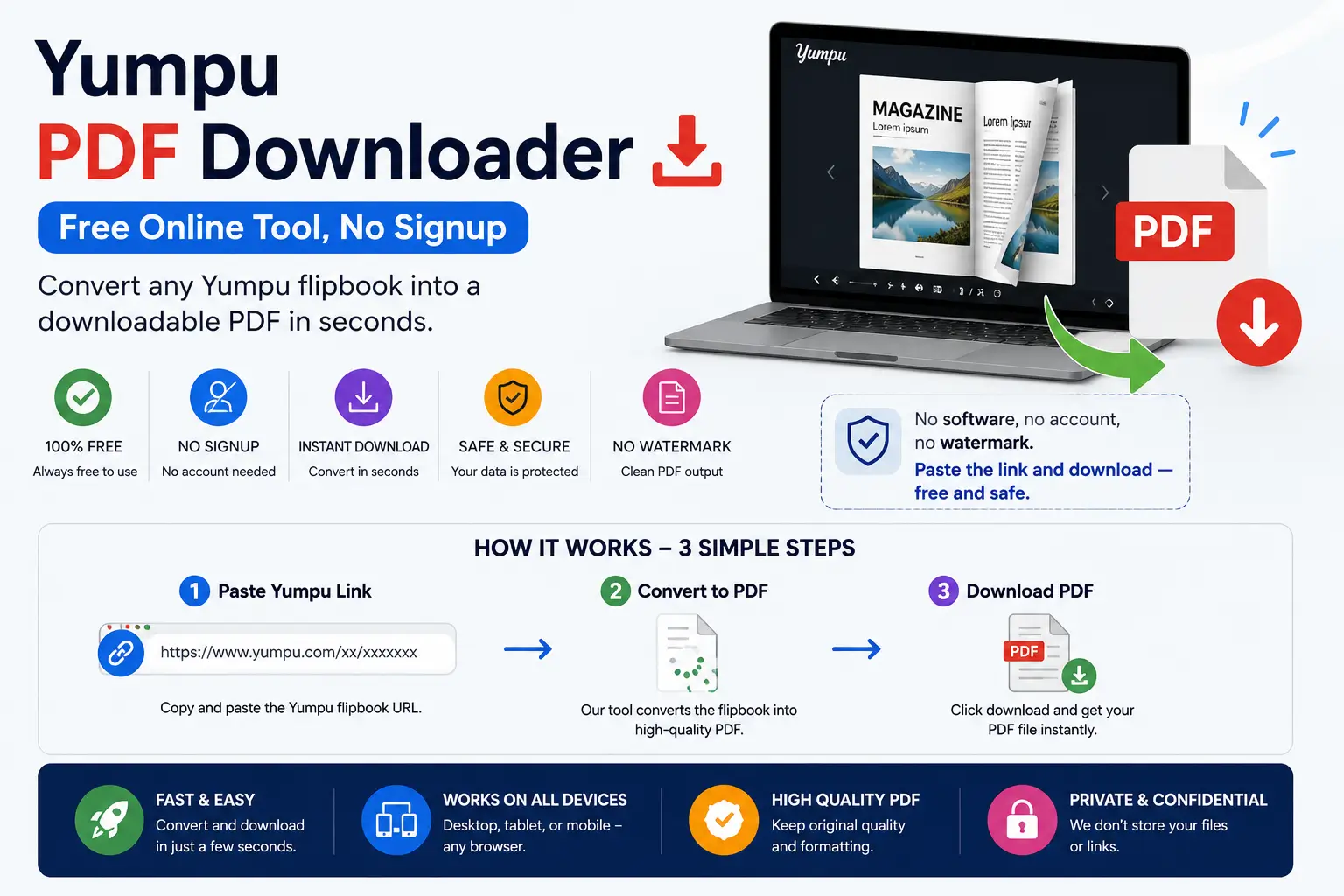
If you’ve ever tried to save a magazine, catalog, or brochure from Yumpu, you’ve probably run into the same wall: there’s no download button. Yumpu is built to be read online, page by page, inside its flipbook viewer — not saved to your device.
A Yumpu PDF downloader fixes that. It takes the pages you can already see in your browser and rebuilds them into a single PDF file you can keep, print, or read offline. This guide explains exactly how that works, when it’s actually allowed, and how to do it in under a minute using YumpuDownloader.com.
What Is Yumpu, and Why Can’t You Just Download It?
Yumpu is a digital publishing platform. Businesses, schools, and publishers upload PDFs, and Yumpu converts them into interactive “flipbook” style publications — the kind with a page-turning animation — that can be embedded on websites or shared as a link. (For the full picture of what Yumpu is and how publishers use it, see our complete guide to Yumpu.)
The catch: Yumpu renders those pages as a stream of images inside its own viewer, not as a downloadable file. That’s a deliberate choice, not a missing feature. Publishers can turn a download button on or off for their own content — this is the same setting that separates public and private Yumpu documents. When it’s off, Yumpu is telling you the publisher wants the content read online only.
That distinction matters, so keep it in mind before you download anything — more on this in the safety section below.
What Is a Yumpu PDF Downloader?
A Yumpu PDF downloader is a browser-based tool that reads the publicly viewable pages of a Yumpu document and reconstructs them into a standard PDF. You paste a Yumpu link, the tool pulls each page as a high-resolution image, and it stitches those images into one file you can save.
It’s not modifying Yumpu or accessing anything hidden — it works only with pages that are already publicly visible in the viewer. What it changes is the format: from “scroll through a web viewer” to “one PDF file on your device.”
How to Download a PDF from Yumpu (Step by Step)
- Open the Yumpu publication you want to save and copy its URL from the address bar (it will look like
yumpu.com/en/document/view/...). - Go to YumpuDownloader.com.
- Paste the Yumpu link into the input box.
- Click Convert. The tool loads each page of the publication.
- Download your PDF. Once processing finishes, save the file directly to your device — no account, no software install, no watermark.
The whole process typically takes under a minute for a standard-length publication. Longer documents (100+ pages) take a bit more, since every page has to be captured individually before it’s merged.
For a more detailed walkthrough with screenshots, see the complete step-by-step download guide. If a download stalls or fails partway through, the troubleshooting guide covers the 10 most common errors and how to fix each one.
Is It Free?
Yes. Converting a Yumpu publication to PDF through YumpuDownloader.com costs nothing, requires no registration, and has no hidden page limits or forced upgrades. You paste a link, you get a file. If a tool asks for a credit card before it will let you download a single PDF, that’s a red flag, not a feature.
Is a Yumpu Downloader Safe to Use?
Safety here has two separate parts — the tool itself, and how you use it.
The tool. A legitimate Yumpu downloader should:
- Not require you to install software or a browser extension
- Not ask for your email, phone number, or payment before downloading
- Process the file in your browser and give you a direct download, not redirect you through multiple ad pages
How you use it. This is the part most guides skip. A downloader can only pull pages that Yumpu is already showing publicly — it doesn’t unlock private or paywalled content (downloading your own private Yumpu documents requires your own API token, not a workaround). What it can do is let you save publications the original publisher may not have intended to be redistributed. Using it responsibly means sticking to a few clear cases:
- Publications you created or uploaded yourself
- Public catalogs, brochures, or newsletters meant for free distribution
- Content explicitly marked for download or reuse
- Personal, offline reading of freely accessible material — not redistribution or resale
If a Yumpu document has no visible download option, that’s usually the publisher’s decision. Downloading it for a quick personal read is different from re-uploading or selling that PDF elsewhere. Treat the tool the way you’d treat a screenshot: convenient for personal use, not a license to republish someone else’s work. For the full legal breakdown, see Is It Legal to Download Yumpu Documents?
Yumpu Downloader vs. Other Options
| YumpuDownloader.com | Manual screenshots | Browser “Print to PDF” | |
|---|---|---|---|
| Speed | Full document in ~30–60 sec | Minutes to hours | Fast, but page-by-page |
| Quality | Full-resolution page images | Depends on screen/zoom | Often cuts off or distorts flipbook pages |
| Cost | Free | Free | Free |
| Signup required | No | No | No |
| Works on mobile | Yes | Yes, but tedious | Inconsistent |
Screenshotting or using your browser’s print function technically works, but flipbook viewers are built with page-turn animations and dynamic loading, which regularly breaks both methods — you end up with cropped pages, missing content, or blank captures. A dedicated downloader reads the actual page images Yumpu serves, so the output matches the original. For more ways to read Yumpu content without an internet connection, see Best Ways to Read Yumpu Magazines Offline.
If you’re comparing Yumpu itself against other publishing platforms — not just looking for a downloader — see Yumpu vs. Issuu vs. Flipsnack vs. Calaméo.
Frequently Asked Questions
Can I download a Yumpu PDF for free?
Yes. YumpuDownloader.com doesn’t charge for conversions or require an account.
Why doesn’t Yumpu let me download directly?
Because the publisher controls that setting, Yumpu gives creators the option to disable downloads to protect their content, and many choose to.
Can I download password-protected or private Yumpu documents?
Not through the public flow. That requires your own Yumpu API token — see the difference between public and private documents for how that works. A downloader can’t access private, restricted, or login-gated content any other way.
Will the downloaded PDF look the same as the original?
Yes — pages are captured at full resolution and merged in their original order, so text, images, and layout match what you see in the Yumpu viewer.
Is this legal?
Downloading publicly viewable content for personal use is generally fine. Redistributing, reselling, or republishing someone else’s copyrighted publication is not — that applies regardless of what tool you use to save it. When in doubt, only download content you created or that’s explicitly free to share. See Is It Legal to Download Yumpu Documents? for the full breakdown.
Does this work on mobile?
Yes. Since it runs in your browser, there’s nothing to install on either Android or iOS.
Bottom Line
A Yumpu PDF downloader closes a real gap: Yumpu is built for online reading, not offline saving, and sometimes you just need the file. YumpuDownloader.com does that in three steps — paste the link, convert, download — for free, with no signup. Use it the way you’d use any content-saving tool: for your own work and for content that’s genuinely meant to be shared. Questions the guides above don’t cover? Get in touch, or read more about the site.
1 thought on “Yumpu PDF Downloader: How to Save Any Yumpu Publication as a PDF (Free, No Signup)”