If you’ve ever clicked a link and landed on a page-flipping digital magazine, brochure, or catalog, there’s a good chance it was hosted on Yumpu. This guide explains exactly what Yumpu is, how it works, and what your options are if you want to save a copy of something you find there.
What Is Yumpu?
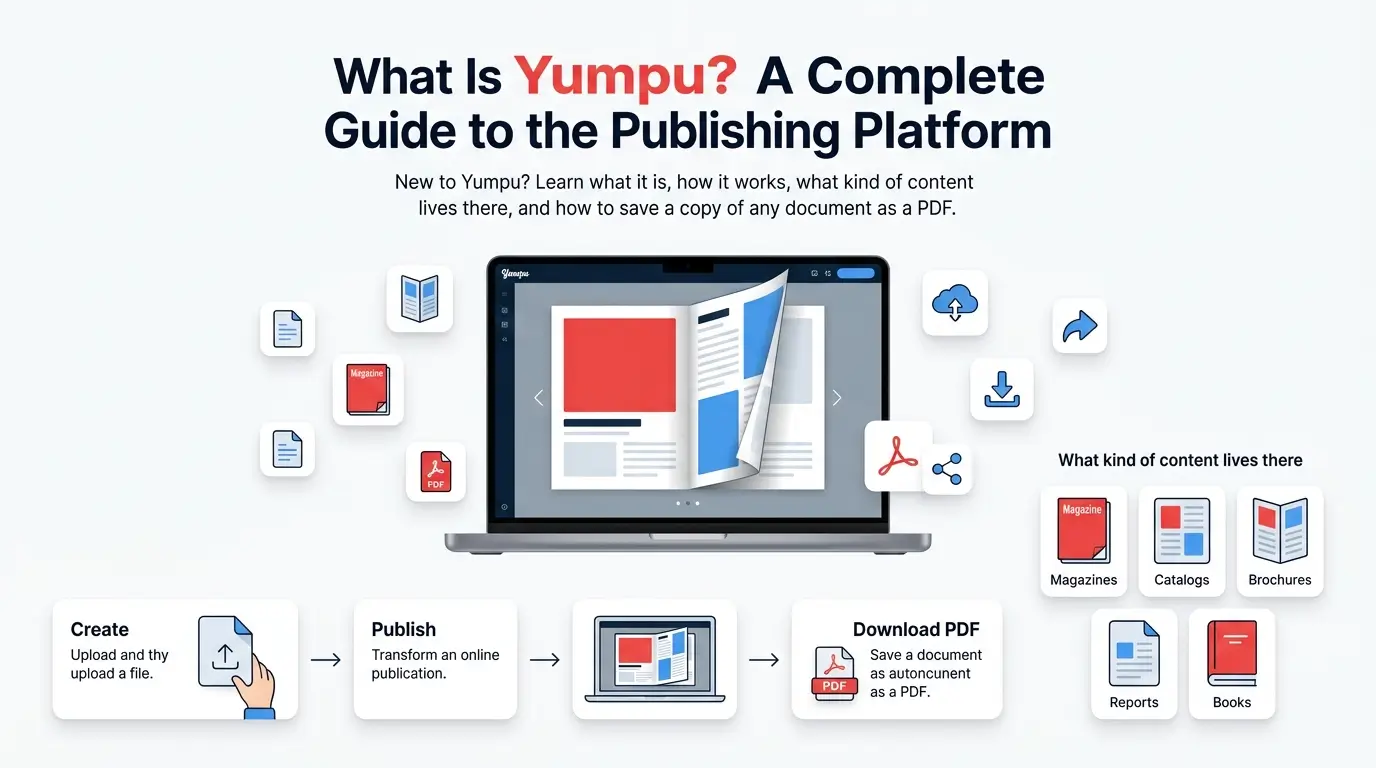
Yumpu is an online publishing platform where individuals and businesses upload documents — like magazines, catalogs, brochures, reports, and eBooks — and turn them into interactive, page-flipping online publications. Instead of sharing a plain PDF, publishers use Yumpu to create a more engaging reading experience directly in a web browser.
Yumpu is owned and operated by i-magazine AG, a company based in Switzerland.
What Kind of Content Is on Yumpu?
Yumpu hosts a wide range of document types, including:
- Digital magazines — lifestyle, business, and hobby publications
- Product catalogs — retail and wholesale brochures
- Company reports — annual reports, newsletters, and whitepapers
- eBooks — full-length digital books
- School and university materials — course guides, yearbooks, and newsletters
Anyone with a Yumpu account can upload a PDF, and Yumpu automatically converts it into a page-flip viewer, complete with a table of contents, zoom controls, and sharing links.
How Does Yumpu’s Page-Flip Viewer Work?
When you open a document on Yumpu, you’re not looking at a regular PDF — you’re viewing a series of individual page images loaded one at a time as you flip through them. This is what creates the smooth, magazine-like flipping animation.
Each page is technically its own image file, served from Yumpu’s content servers at different quality levels (small, medium, or large) depending on your device and zoom level. This page-by-page structure is also exactly why tools like Yumpu Downloader can rebuild those images into a single PDF file.
Free vs. Paid Yumpu Accounts
Yumpu offers both free and paid publishing plans:
| Plan Type | What It Offers |
|---|---|
| Free | Basic uploading and page-flip publishing, with some limitations |
| Paid (Pro/Business) | Higher upload limits, custom branding, analytics, and privacy controls |
Whether a document is free or paid to publish doesn’t necessarily mean it’s free to download — that depends on whether the document itself is set to public or private by its owner.
Why Do People Want to Save Yumpu Content Offline?
There are plenty of simple, everyday reasons someone might want a downloadable copy of a Yumpu document:
- Reading on a flight or somewhere without internet access
- Printing a physical copy of a brochure or catalog
- Keeping a personal archive of your own published work
- Sharing a file directly instead of sending a link
Yumpu’s built-in viewer requires an active internet connection every time you want to read something. Converting a document to PDF solves that problem completely.
How to Save a Yumpu Document as PDF
If you want to turn a Yumpu document into a downloadable PDF file, you can use Yumpu Downloader — a free browser-based tool. Simply paste the document’s link, choose your quality and page settings, and click download.
For a full walkthrough, see our guide: How to Download a Yumpu Document as PDF.
Frequently Asked Questions
Is Yumpu free to use?
Yes, Yumpu offers a free plan for publishing documents, along with paid plans for additional features.
Can anyone view any document on Yumpu?
No. Document owners can choose to make their uploads public (viewable by anyone) or private (viewable only by the owner or people with special access).
Is Yumpu the same as Issuu or Flipsnack?
No, but they are similar. All three are digital publishing platforms that turn PDFs into page-flip viewers. Each has its own features and pricing.
Can I download my own Yumpu document?
Yes. If it’s public, you can download it directly. If it’s private, you’ll need your personal API token. Learn more in our Public vs. Private Documents guide.
Want to save a Yumpu document right now? Try Yumpu Downloader →
3 thoughts on “What Is Yumpu? A Complete Guide to the Digital Publishing Platform”